
There is no native app for TuffPuff in the App Store or Google Play. Gameplay takes place entirely inside your mobile web browser. The mobile lobby features the exact same 146 software providers as the desktop site, and the cashier is fully accessible. However, the Bonus Wheel is hosted separately on a Telegram bot. Crucially for UK players: TuffPuff is operated by GBL Solutions N.V. under Curaçao licence OGL/2024/589/0556. It does not hold a UKGC licence and is not connected to GAMSTOP.

Browser Site Instead of a Native Casino App
If you search the official app stores for an install file, you will come up empty-handed. TuffPuff provides no native application on either Google Play or the Apple App Store. Access is handled entirely through mobile browsers such as Safari or Chrome. During my test, the main web address tuffpuff.com automatically redirected to tuffpuff5.com. Mirror domains like this are standard practice among offshore operators, but they always warrant a quick check of the URL bar.
As an independent reviewer, I share my genuine hands-on experience on tuffpuff-casino.app. This site is not a casino portal with its own login, but an objective testing report. You do not need to free up storage space on your smartphone for games. The casino does not list specific hardware requirements, though a stable internet connection is essential for uninterrupted rounds.
UK Regulation: Licensing and Player Protection

Because TuffPuff operates outside the UK regulatory framework, standard British restrictions are absent: there is no national monthly deposit ceiling, no mandatory spin delays, and no UK-style maximum stake limits on online slots. Whilst some punters may see this as greater freedom, it also means that British statutory player protections are entirely missing, leaving safety down to personal discretion.
iPhone: Setting Up Safari Home Screen Access
On Apple devices, you can pin the casino portal to your home screen using the Safari browser. This shortcut looks just like a standard app icon, but it simply launches the site within Safari. Naturally, it has not undergone any security vetting by the Apple App Store.
- Open Safari and type tuffpuff.com into the address bar.
- Notice any domain redirect; during my test, it loaded tuffpuff5.com.
- Adjust your language preferences in the footer or main menu if needed.
- Tap the Share icon (square with an upward arrow) in Safari's bottom toolbar.
- Scroll through the menu and select 'Add to Home Screen'.
- Customise the shortcut name if you like, then tap 'Add' in the top right.
- Tap the new icon on your home screen to confirm the mobile site loads properly.
If the Share menu is missing, make sure you have not inadvertently opened the page within an in-app social browser. Deleting the icon from your home screen merely removes the shortcut bookmark; your casino account remains untouched.
Android: Creating a Chrome Shortcut
On Android, access is also handled via your web browser, typically Google Chrome. Downloading an unofficial APK file is neither necessary nor recommended. Chrome's built-in bookmarking feature lets you create a home screen shortcut for seamless access to your account.
- Open Chrome and navigate to tuffpuff.com.
- Ensure the URL is secure and shows no browser certificate warnings.
- Tap the three vertical dots in the top-right corner to open Chrome's menu.
- Select 'Add to Home screen' (or 'Install app' where prompted).
- Confirm the shortcut name by tapping 'Add'.
- Open the site from your new home screen icon to verify functionality.
Mobile Browser, Desktop, and Native App Compared
To put the various access methods into perspective, a direct comparison is helpful. The table below matches my mobile browser testing notes against standard desktop play and a hypothetical native app.
| Criterion | Mobile Browser | Desktop Browser | Traditional Store App |
|---|---|---|---|
| Access Method | Via Safari, Chrome, etc. | PC or Mac web browser | Download from App Store or Google Play |
| Storage Used | Temporary browser cache only | Zero local hard drive space | Dedicated installation on the device |
| Usability | Compact; back button occasionally lags | Spacious layout, stable navigation | Typically tailored for touch gestures |
| Quick Launch | Home screen shortcut | Browser bookmark | Dedicated application icon |
| Updates | Automatic on page reload | Automatic on page reload | Manual or automated store updates |
| Offline Access | No access without internet | No access without internet | Real-money play always requires internet |
| Bonus Wheel | Redirects to Telegram | Redirects to Telegram | Not available as an app for TuffPuff |
| Player Safety | No UKGC / GAMSTOP (Curaçao) | No UKGC / GAMSTOP (Curaçao) | Depends on licence and operator |
Account and Cashier in the Mobile Browser
Registration took me under three minutes using an email address, password, and currency selection; no phone number was required. To activate the account, clicking the link in the confirmation email was mandatory. However, I found no two-factor authentication (2FA) option on mobile, which leaves account security weaker than ideal. Depositing is straightforward via the cashier tab in the main menu.
The cashier lists methods such as MiFinity, bank transfer, crypto, Zimpler, Interac, A1, and credit cards. The minimum deposit for the welcome tiers is €20, whereas the high-roller promotion requires €500. I deposited €50 via MiFinity, which was credited instantly. A baseline minimum threshold for withdrawals is not clearly stated upfront.
- For KYC verification, TuffPuff requests identity and address documents, with a 30-day submission window.
- The finance department processes withdrawal requests Monday to Friday between 09:00 and 18:00 (GMT+2).
- A maximum of three withdrawal requests can be pending simultaneously.
- For loyalty tiers 1 to 10, the withdrawal cap stands at €500 per day and €10,000 per month.
- In my test, document verification took around two days, followed by another two days for the MiFinity payout.
- The operator does not contractually guarantee withdrawal processing times in hours.
Following a successful run on Gates of Olympus, my balance rose to approximately €380. Before processing my €320 withdrawal, the casino requested my ID card and an electricity bill. Once my KYC status changed to approved, the MiFinity request was cleared and the funds arrived without issue. Snapping photos of documents on mobile was easy enough, but crisp, uncropped images are essential.
Promotions and the Telegram Bonus Wheel
The welcome package advertises 240% up to €2,500 plus 300 free spins across your first three deposits. I triggered the TuffPuff bonus with my €50 deposit, and the promotional funds appeared in a separate balance. Other offers include the Hustle Bonus (40% up to €250 on Wednesdays), the weekend Street Reload, and regular daily and weekly cashback.
- Deposit bonuses and free spin winnings carry a 45x wagering requirement.
- Bonuses must be activated manually under 'My bonuses' within 48 hours and expire after five days.
- The maximum allowed stake while playing with bonus funds is €5 per spin (including feature buys).
- Cashable winnings from a welcome bonus are capped at 5x the original deposit amount.
- Slots contribute 100% towards wagering, standard instant games 10%, RNG roulette 5%, while live dealer tables contribute 0%.
- Only one bonus account is permitted per person, household, device, and IP address.
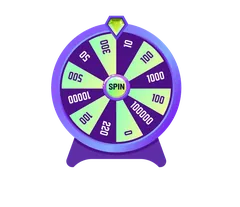
The 'Spin & Win' promotional wheel does not run on the mobile website itself; it is hosted exclusively within an external Telegram bot. Exclusive promotional codes are also distributed via t.me/TuffPuff_Official. If you do not use Telegram, you cannot access this feature. The purple gorilla sporting a red cap serves as the bot's mascot.
Spotting Fake APKs and Fraudulent Links
Because TuffPuff does not offer an official app in legitimate stores, any installation files circulating online should be treated with extreme caution. Scammers often copy the distinctive purple gorilla mascot to distribute harmful APK files. A valid SSL padlock in your mobile browser only confirms encrypted transmission, not the regulatory legitimacy of a cloned site.
- Never download TuffPuff installation packages from online forums or cloud storage links.
- Do not grant unknown apps permission to access your contacts, SMS, or accessibility services.
- Always verify the exact domain name displayed in your mobile browser's address bar.
- Do not bypass mobile operating system security warnings to unlock alleged promotions.
- Choose a strong, unique password and store it safely in a reputable password manager.
If you have already installed a suspicious APK on your smartphone, remove it immediately. Run a thorough malware scan, change your casino passwords from a clean computer, and contact your payment provider straight away if you suspect compromised details.
Troubleshooting and Taking a Break
| Issue | Recommended Action | Notes & Limitations |
|---|---|---|
| Mobile site fails to load | Check network connection, clear cache, and type the URL manually. | Avoid unverified mirror links. |
| Home screen icon missing | Open the address directly in Safari or Chrome, not an in-app viewer. | Menu steps differ between iOS and Android. |
| Login unsuccessful | Verify email activation link or reset password. | Never share passwords in chat windows. |
| Game freezes mid-spin | Refresh the page, relaunch the title, and check bet history. | Avoid frantic repeated tapping during lag. |
| Deposit not credited | Check MiFinity or bank transaction receipt, then contact support. | Do not make a hasty second deposit. |
| Bonus not showing | Check 'My bonuses' section; mind the 48-hour activation window. | Free spins must be activated manually. |
| Bonus Wheel unavailable | Check Telegram permissions and the official channel link. | Feature is not hosted in the standard browser. |
| Withdrawal delayed | Confirm KYC approval status; remember finance is closed at weekends. | No legally binding timeframes in hours. |
Customer support is accessible around the clock via live chat or by emailing [email protected]. When raising a query from your smartphone, mentioning your device model and browser helps resolve technical glitches faster. Keep screenshots of any errors, but remember to redact sensitive financial details. Only clear your browsing history once any contested transactions are fully resolved.
For taking time out, TuffPuff provides a 'Take a break' option, whilst longer self-exclusions must be requested through support. Because the casino is not licensed by the UKGC and lacks GAMSTOP integration, an exclusion set here will not prevent you from gambling on other platforms. If you feel your gambling is becoming difficult to manage, reach out to GamCare on 0808 8020 133 or visit BeGambleAware.org.
Safer Gambling
Online casino games carry financial risk. Make use of these safeguards before playing:
- Set a strict monthly loss budget before making any deposit
- Enable the 'Take a break' cooling-off tool inside your account profile
- Define firm time limits for each playing session
- Opt out of bonuses if you prefer to avoid wagering obligations
- Request self-exclusion directly through live chat customer support
- Access confidential advice via GamCare on 0808 8020 133 or BeGambleAware.org
18+ | Gambling can be addictive. For free, confidential support call GamCare on 0808 8020 133 or visit BeGambleAware.org.
Frequently Asked Questions
Is there an official TuffPuff app for Android or iOS?
No, there is no official app on either the Apple App Store or Google Play. All mobile games run directly through your phone's web browser.
Do I need to download a TuffPuff APK file on Android?
No. An APK download is not required and presents serious security risks. Simply load the casino via Google Chrome on your phone.
How do I access the Bonus Wheel on mobile?
The 'Spin & Win' wheel is not built into the mobile browser site. It can only be spun via the casino's official Telegram bot.
Does my GAMSTOP self-exclusion apply to TuffPuff on mobile?
No. TuffPuff operates under a Curaçao licence (GBL Solutions N.V.) and is not registered with the UK's GAMSTOP self-exclusion scheme.
Are withdrawals faster when requested on a smartphone?
No, all requests are handled centrally by the finance team (weekdays 09:00 to 18:00 GMT+2) and require the exact same KYC checks as desktop play.
Does deleting the home screen shortcut close my casino account?
No, removing the shortcut only deletes the bookmark icon from your phone. Your account balance, active bonuses, and login details remain intact.
Affiliate disclosure: This website features partner links. Registering through these referrals may earn us a commission at no extra cost to you. 18+ only.